

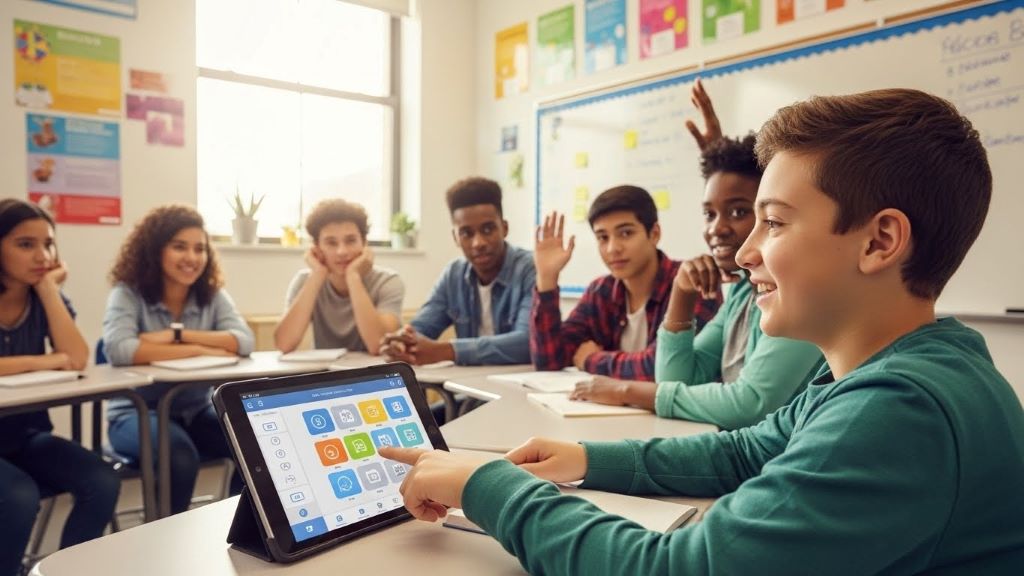
24 Dec High Tech Assistive Technology for Inclusive Education
Assistive technology is transforming classrooms around the world. These tools help students with disabilities participate fully in educational activities. Today’s high tech solutions create opportunities that were impossible just a few years ago. This article explores how modern assistive technology supports inclusive education and empowers all learners.
Understanding Assistive Technology in Education
Assistive technology includes any device or software that helps students overcome learning barriers. These tools range from simple to complex. However, high tech solutions offer the most significant advances for inclusive education.
The goal of assistive technology is to level the playing field. Students with disabilities can access the same curriculum as their peers. Additionally, these technologies promote independence and build confidence. According to EdWeek, assistive technology has become essential for creating truly inclusive learning environments.
Modern classrooms now integrate various high tech tools seamlessly. Teachers can support diverse learning needs within one classroom setting. Therefore, all students benefit from inclusive education practices.
Speech-to-Text Technology
Speech-to-text software converts spoken words into written text. This technology helps students who struggle with writing or typing. Voice recognition has improved dramatically in recent years.
Students with physical disabilities benefit greatly from speech-to-text tools. They can complete writing assignments without using their hands. Furthermore, students with dysgraphia or other writing difficulties can express their ideas more easily.
Popular speech-to-text programs include Dragon NaturallySpeaking and built-in features in Google Docs. These tools work on computers, tablets, and smartphones. Many are now free or included with existing software.
The technology learns individual speech patterns over time. Accuracy improves with continued use. Consequently, students become more efficient and confident in their written communication.
Text-to-Speech Applications
Text-to-speech technology reads digital text aloud. This assists students with visual impairments, dyslexia, or reading difficulties. The software highlights words as it reads them.
Students can adjust reading speed and voice preferences. This customization makes learning more comfortable and effective. Additionally, hearing text while seeing it reinforces comprehension for many learners.
Natural Reader, Read&Write, and Kurzweil 3000 are leading text-to-speech programs. Most operating systems also include basic text-to-speech features. These built-in options provide accessibility at no extra cost.
Text-to-speech helps students access grade-level content independently. They can read textbooks, articles, and assignments without constant teacher assistance. Therefore, students develop stronger reading skills and greater academic independence.
Screen Reading Software for Visual Impairments
Screen readers provide complete computer access for students who are blind or have low vision. These programs read everything on the screen aloud. Users navigate with keyboard commands instead of a mouse.
JAWS and NVDA are powerful screen reading programs for Windows computers. VoiceOver comes standard on Apple devices. These tools read menus, buttons, text, and even describe images when properly labeled.
Learning to use screen readers takes time and practice. However, students gain full access to digital learning materials. They can browse the internet, use educational software, and complete online assignments.
Screen readers work best when websites and documents follow accessibility guidelines. Teachers and content creators should design materials with screen reader compatibility in mind. Consequently, blind students can participate in all digital learning activities.
Alternative Input Devices
Alternative input devices help students who cannot use standard keyboards and mice. These technologies include switches, head pointers, eye-gaze systems, and adaptive keyboards.
Switch technology allows students to control computers with minimal movement. A single switch can replace all keyboard functions through scanning systems. Students select items by activating their switch at the right moment.
Eye-gaze technology tracks eye movement to control the computer cursor. Students look at what they want to select on screen. This technology helps students with severe physical disabilities communicate and learn independently.
Adaptive keyboards come in various sizes and configurations. Some have larger keys for students with motor difficulties. Others arrange keys alphabetically or by frequency of use. Additionally, on-screen keyboards provide mouse-based typing alternatives.

Communication Devices and Apps
Augmentative and alternative communication devices help non-verbal students express themselves. These high tech solutions range from dedicated devices to tablet applications.
Dedicated communication devices like Tobii Dynavox offer specialized features. They include extensive vocabulary libraries and customization options. However, they can be expensive.
Tablet-based apps like Proloquo2Go and TouchChat provide affordable alternatives. These apps turn iPads and Android tablets into communication devices. Students can select pictures, words, or phrases to communicate their thoughts.
Communication apps use text-to-speech to vocalize selections. Students can participate in class discussions, ask questions, and express their needs. Therefore, non-verbal students become active participants in inclusive classrooms.
Modern communication technology learns from usage patterns. Predictive text features speed up communication. Furthermore, apps can store personalized vocabulary for different settings and activities.
Digital Learning Platforms with Accessibility Features
Many educational platforms now include built-in accessibility features. These tools support diverse learners without requiring separate software. Schools can create inclusive digital environments more easily.
Google Classroom offers closed captioning, screen reader compatibility, and voice typing. Microsoft Teams provides live captions during video meetings. Canvas and other learning management systems include accessibility checkers.
Digital textbooks from publishers like Pearson and McGraw-Hill include text-to-speech and adjustable formatting. Students can change font sizes, colors, and spacing to suit their needs. Additionally, interactive features make learning more engaging for all students.
These integrated features save time and money for schools. Teachers don’t need to convert materials separately for different students. Consequently, inclusive education becomes more practical and sustainable.
Organizational and Executive Function Tools
Many students struggle with organization and time management. High tech tools help develop these executive function skills. Digital planners, reminder apps, and project management tools provide structure.
Apps like Google Calendar send reminders about assignments and activities. Todoist and Trello help students break large projects into manageable steps. Visual schedules on tablets guide students through daily routines.
Note-taking apps like OneNote and Evernote help students organize information. They can add images, voice recordings, and web clippings to their notes. Search functions make finding information quick and easy.
These organizational tools benefit students with ADHD, autism, and learning disabilities. However, all students develop better study habits using these technologies. Therefore, schools often implement them classroom-wide.
Math Support Technology
Mathematics presents unique challenges for some students. Specialized assistive technology makes math more accessible. These tools help with calculations, graphing, and understanding mathematical concepts.
Talking calculators announce numbers and operations aloud. This helps students with visual impairments or processing difficulties. Some calculators also show large, clear displays.
Graph paper apps and digital math tools help students organize mathematical work. Apps like ModMath provide structured templates for math problems. Students can focus on problem-solving instead of handwriting numbers neatly.
Computer algebra systems like Desmos make graphing and equation solving accessible. These free tools work on any device with internet access. Additionally, they provide instant visual feedback that enhances understanding.
Math reader technology can read equations aloud properly. Standard text-to-speech often struggles with mathematical notation. Specialized tools pronounce fractions, exponents, and complex expressions correctly.
Virtual and Augmented Reality for Learning
Virtual reality immerses students in three-dimensional learning environments. Students can explore historical sites, travel through the human body, or visit other planets. This technology makes abstract concepts concrete.
VR headsets like Oculus Quest bring virtual field trips to any classroom. Students who cannot physically travel gain valuable experiences. Furthermore, VR allows repeated practice in safe, controlled environments.
Augmented reality overlays digital information onto the real world. Apps like Merge Cube let students hold and examine 3D models. This hands-on approach benefits students who learn best through physical interaction.
These immersive technologies particularly help students with autism or sensory processing differences. Virtual environments can be adjusted to reduce overstimulation. According to The New York Times, VR programs are showing promising results in special education settings.
Implementing Assistive Technology Successfully
Choosing the right assistive technology requires careful assessment. Each student has unique needs and preferences. Therefore, teams should include teachers, parents, therapists, and the student when possible.
Trial periods help determine if technology meets student needs. Many companies offer free trials or demo versions. Schools should test several options before making large purchases.
Training is essential for successful implementation. Teachers and students need time to learn new technologies. Ongoing support helps troubleshoot problems and optimize usage.
Start with one or two technologies rather than overwhelming students with many new tools at once. Add more assistive technology gradually as students master initial tools. Consequently, students build confidence and competence steadily.
Overcoming Implementation Challenges
Cost remains a significant barrier for many schools. However, creative funding solutions exist. Grants, donations, and partnerships can help acquire assistive technology.
Some free and low-cost options provide excellent functionality. Built-in accessibility features in devices and software cost nothing extra. Open-source programs offer alternatives to expensive commercial products.
Technical support challenges can frustrate teachers and students. Schools should designate technology coordinators who understand assistive technology. Additionally, peer support programs help students assist each other.
Privacy and data security require attention when using educational technology. Schools must comply with laws protecting student information. Choose reputable vendors with strong privacy policies.
Resistance to change sometimes slows assistive technology adoption. Professional development helps teachers understand benefits and implementation strategies. Furthermore, sharing success stories builds enthusiasm and buy-in.
The Future of Assistive Technology in Education
Artificial intelligence will enhance assistive technology capabilities. AI can personalize learning experiences and predict student needs. Smart systems will adapt in real-time to support each learner.
Brain-computer interfaces represent the next frontier. These experimental technologies allow direct mental control of devices. While still in early stages, they promise revolutionary possibilities for students with severe physical disabilities.
Improved affordability will make assistive technology more widely available. As technology advances, prices typically decrease. Therefore, more students will access tools that support their learning.
Cloud-based solutions will increase accessibility and flexibility. Students can access their assistive technology from any device, anywhere. Consequently, learning support will extend beyond the classroom seamlessly.
Conclusion
High tech assistive technology is transforming inclusive education in remarkable ways. From speech-to-text software to virtual reality, these tools remove barriers and create opportunities for all students. Speech recognition, screen readers, alternative input devices, and communication apps enable students with disabilities to participate fully in classroom activities. Digital platforms with built-in accessibility features make implementation easier for schools. While challenges like cost and training exist, the benefits far outweigh the obstacles. As technology continues advancing, assistive tools will become more powerful, affordable, and accessible. Schools that embrace these technologies today are creating truly inclusive learning environments where every student can succeed and reach their full potential.
Frequently Asked Questions
What is assistive technology in education?
Assistive technology includes any device, software, or equipment that helps students with disabilities access education. These tools range from simple aids to complex high tech solutions. They remove barriers and enable students to participate in learning activities alongside their peers.
How much does assistive technology cost for schools?
Costs vary widely depending on the technology. Some assistive tools are free, like built-in accessibility features on computers and tablets. Basic apps might cost from 20 to 100 dollars. Specialized devices can range from hundreds to thousands of dollars. Many funding options and grants help schools afford assistive technology.
Do all students with disabilities need assistive technology?
Not all students with disabilities require assistive technology. Each student’s needs are unique. Assessment by qualified professionals determines which tools, if any, will benefit individual students. Some students succeed with low-tech accommodations or teaching modifications alone.
Can assistive technology help students without disabilities too?
Yes, many assistive technologies benefit all learners. Text-to-speech helps anyone learning a new language. Organizational apps support all students developing time management skills. Inclusive design often creates tools that improve learning for everyone, not just students with disabilities.
How do teachers learn to use assistive technology?
Teachers learn assistive technology through professional development workshops, online courses, and hands-on practice. Many technology companies offer free training resources. Additionally, special education teachers often serve as assistive technology experts who support their colleagues. Ongoing learning and collaboration help teachers master these important tools.
Related Topics:
Career Opportunities in the Energy Sector
How Long is a Minecraft Day: Unlocking the Secrets of Time in the Blocky World
No Comments