

The visual marketing blog
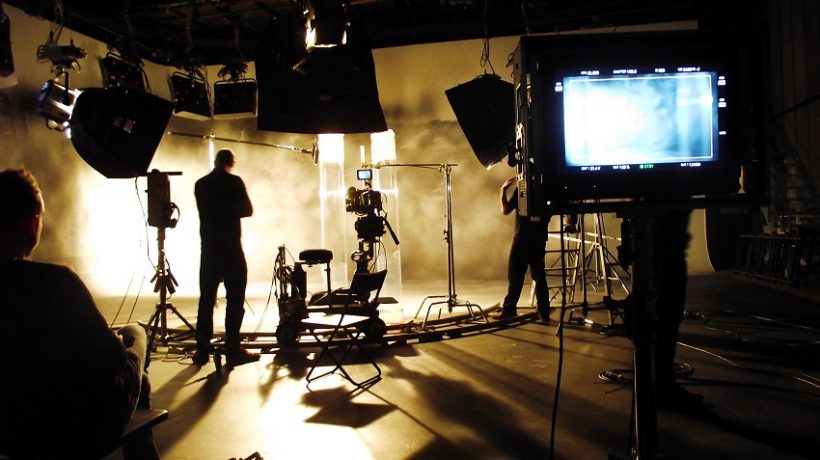
Video making can be a fine art.

VIDEOGRAPHY IS LIKE AN ARTWORK

The journey of filmmaking is so amazing. You start off with great confidence, and develop insecurity at the time of release. When you are ready with the finished product, you are constantly wondering if you have been honest to the story you started out with, if you got what you wanted. One is too close to the project by then to be objective.

IT’S INCREDIBLE
TO SEE THE CREATIVITY

Learn More

You’ve probably got a device on you that can shoot decent video, so what’s stopping you? Capture and share some moments.

VIDEO FLICKS

VIDEOGRAPHY IS NOT ABOUT WHAT WE SEE – IT’S A VERY MISCONCEIVED NOTION; IT’S ABOUT WHAT WE DON’T SEE.

LEARN MORE ABOUT VIDEO

Epic graphic design tips for non-designers

Regardless of what you do; producing graphic for networks or designing an invitation for an event, the use of graphic design, in addition to being broad and versatile, has aspects that make it complex, from the combination and size of fonts to alignment and white space. In this sense, these tips can help you go through the ups and downs of the creative design process.

For The Love Of Fonts, Put A Limit On Your Typefaces

Become a graphic designer

When you’re at the stage of selecting a typeface or font for titles, subtitles, and the rest of the body text, use fonts that are legible to produce a graphic design that is simple and effective. Eyes typically have a hard time processing multiple typefaces, so using a small set of fonts is recommended, like this example that uses variants of the Aileron family, a geometric sans serif typeface with a clean, modern aesthetic.

Don’t Let Size Scare You

Enlarge the size of the text, figures, or other elements of the design and use colors to enhance this technique. Specifically on text, make sure the typeface looks good when scaled up, as here the Raleway font for the word ‘Scale’ is eye-catching and makes an impact with clear shapes.

Respect The Space Of Other Elements

Use kerning to fill in dead space, align text, or condense words that take up a lot of space. However, try not to reduce the kerning too much so that the text cannot be read, nor increase it too much, as the letters will look too far apart from each other. In this example, reducing the kerning in the word ‘Respect’ gives the layout a condensed effect, as if it were a visual representation of space or lack thereof.

Be Smart With Your Colors

Choose a color scheme that has 1-3 primary colors and do the same for secondary colors that contrast and complement each other. By adjusting the brightness to create contrast, you can be consistent by using different intensities of the same color. If the background has a very vivid color, the thinner typefaces will have to be more emphasized. In the example above, the bright aqua color is toned down with a forest green background to make the design clear and readable.

Clear, Clean, And Crisp

Crank up the contrast by adjusting the brightness of the image so that it dims the color of the text, making the layout clear and easy to read. This is a great way to apply the black or white text to an image to produce a bold ‘silhouette’ effect.

Fonts Have Feelings Too

Choose a font that expresses the meaning of your content. Typefaces with rounded edges are usually more attractive (like Quicksand here), geometric ones with strong edges (sans serifs) are solid and strong, and finally, those with serifs convey a sophisticated and elegant look.

Create Order With Alignment

Use a line or embellishment to balance the design. Here, a line to the left simulates a margin and anchors the text block.

Keep It Simple

Keep the design simple, without forgetting the basics. Make sure each element has a reason for being in the design and limit the number of fonts, colors, shapes, and frames to as few as possible. Use color combinations that contrast with the text to make it look sharp and easy to read. On the other hand, a uniform frame to contain the text will improve the compositional structure of the design.

Magic With Multipage

The easiest way to achieve a consistent look in a document or presentation is to duplicate the pages, then edit the text and replace the images in it.

Creativity And Originality

Take your creative skills to the max to produce the original graphic. Be inventive in choosing and combining different filters and fonts. Avoid trends and create designs that reflect your unique style, thus leaving a personal mark on your work.

Use Hierarchy To Order Your Content

The most dominant visual feature in a design should always be the most important part of the message. Color or enlarge a chart to see how the hierarchy of elements changes and see what your eye catches first.

Play With Symmetry

Use horizontal and vertical lines to match other design elements. To achieve balance and proportion, look for the thickness of the elements to match the weight of the fonts.

Relax From Time To Time

Creativity is like a battery, so you have to recharge it by taking breaks every so often. Relaxing is good for stimulating energy and productivity, that is, a walk, eating something, or sitting in the park helps you revitalize your mind.

You may also be interested in 10 VIDEO EDITING APPS FOR ALL PLATFORMS

10 video editing apps for all platforms

The task of editing may seem quite difficult, but with so many applications available today it is much easier to learn and do the best possible video editing without much experience.

Of course, it can be difficult to choose a single application that suits all your needs, especially considering the huge variety of operating systems and platforms out there. You may also like to read putting flyers on cars via Ask4files.com.

To help you choose one, we have selected all the best video editing apps for all platforms including Windows PC, macOS, Android, and iPhone in this list. Keep reading!

Best Video Editing Apps for Windows

Best Video Editing Apps

Movavi Video Editor

To start our list, we are going to recommend one of the best free video editing apps for PC, Movavi. It offers a lot of functions and quite advanced tools so that you can create and edit your videos in the most professional way possible.

What’s more, Movavi is very easy to learn, even for those with absolutely no video editing experience, making it an especially good software choice for beginners. Click this link to try it for free.

Wave.Video

In addition to offering you a wide range of tools, with this app, you will not only be able to edit all your videos, but you will also be able to create your own from scratch in the blink of an eye. This software is equipped with a huge library for you to create your own videos.

You will have access to templates, transitions, stickers, gifs and it even allows you to easily add text to videos, as well as songs. In other words, this is one of the best options if you want to create videos for your social networks.

iMyFone Movie

iMyFone Filme provides you with all the necessary tools and functions for amazing editing: cropping, creating slow or fast motion videos, resizing, and much more. One of the best video editing apps for PC.

In addition, it also has a quick creation mode for your videos, where all you have to do is drag and drops the elements, arrange them as you like, and resize them for your favorite social network. Check out iMyFone Film right now!

Camtasia

Although it is not as well known as many of the alternatives on our list. This is undoubtedly one of the best and most complete video editing applications for your PC. Not only does it have all the features you need to edit videos, but it is also one of the best free screen recording apps.

In this way, it is very easy to record any type of tutorial or even gameplay of your favorite games on your computer and edit them later, all in the same software. Click here and learn more about Camtasia.

ApowerEdit

ApowerEdit is another great option on this list, mainly because it is very simple to use, even for beginners who have no experience editing videos. The app offers a wide range of tools that allow you to create videos that really look professional.

A very interesting aspect is that it has many pre-designed special effects and filters that you can use in your videos, something that is not always found in other editing programs. To learn more, click here.

Magix Movie Edit Pro

Another great alternative that you can use and that is very complete compared to other similar programs. The app is paid, but it offers very professional and advanced tools that should satisfy all your video editing needs.

They have more than 900 different types of filters, effects, and transitions. So you will have access to more options than you can imagine when it comes to customizing your creations. Click this link for more information.

Any Video Converter

This is an old acquaintance of those who at some point have needed software that they could use to convert videos to other formats, upload them to some of the best video websites, such as YouTube itself, or even burn them to CDs.

Aside from that, this software also offers some amazing basic editing tools that handle the simplest of tasks very well. Learn everything there is to know about this video editing program and start using it by clicking this link.

Video Watermark

The next app on our list does exactly what its name suggests, add a custom watermark to your videos. This is quite useful when you finish a really important edit that is going to be posted on some video website like YouTube.

That way, even if other people download your video and repost it, everyone will know who originally created it. Click here to download one of the essential software for PC.

Avidemux

Avidemux is very different from most of the video editors we’ve mentioned in this list so far. But it’s the one for anyone with more basic editing needs. The app is free and offers a really simple interface that almost looks like old software, but at least it’s very easy to use.

Plus, it has a ton of cool tools and features, including a ton of special effects and filters that anyone who likes editing will need at one point or another. To download it, just click on this link.

Corel Video Studio

As its name indicates, Corel VideoStudio belongs to the same line of software like the famous image editor CorelDraw. With this in mind, it’s reasonable to expect high-quality, professional results, something the app really delivers.

In addition to the most common video editing features found in the basic version. You can also get really advanced tools by purchasing the Ultimate edition. This edition includes multi-monitor support, playback speed changes, the ability to create multi-layer projects, and much more. Click on this link to know more.

You may also be interested in 10 TIPS TO IMPROVE YOUR VIDEO EDITING QUALITY

4 Best 4K Video Cameras in 2022

Video is arguably one of the most important media formats of our time—with nearly every content creator, influencer, photographer, or artist dabbling in creating their own movies. And luckily, with the advent of video becoming so popular across social media, cameras have become

10 tips to improve your video editing quality

The first time I saw my father’s video editing. He edited while I played with my Scalextric under the dining room table. He listened as the tapes of his camera went back and forth, repeating the same fragment and the same song. Until one day we decided to record with my toy treasure island and that’s when it all started.

Be Aware Of The Video Characteristics That Your Camera Has

improve your video editing quality

Take a look at the instruction manual to know in what format your camera records, resolution, and frames. This is essential because when editing you will need to know it to correctly configure your editing project in the program you use. If you have doubts, you can see this other post that we publish in CasanovaFotoBlog.

If you use the Adobe Premiere program you will not have much problem because it detects the metadata in which you have recorded a video. And if you have configured it wrong, it will alert you and ask you if you want to change it or keep it as is.

 Make Sure You Have The Right Computer Equipment

Video editing requires a lot of power from our computer. If you already have one, check its features in case you need any expansion. If you are going to buy a new one, do it thinking especially about the edition.

And also think about some hard drives to store all the material, the video takes up a lot.

Once you have finished editing, keep the final video and delete the gross ones (I insist, delete the gross ones, the world is not going to end, really).

Recommended Features for FullHD and 4K

  • Intel i7 Xeon processor
  • RAM 16-32Gb
  • SSD hard drive for OS and RAID HDD 7200rpm programs to store data
  • NVidia graphics allows the program to take advantage of multiple GPUs

Get Familiar With The Vocabulary Related To Video Editing

Expressions

  • Viewing / Raw material
  • Continuity / Raccord
  • Inner rhythm (don’t fall in love with blueprints)
  • Distort
  • Air
  • “We fix it postponed …”

Technicalities

  • Project / Sequence / Final assembly
  • Import / Process / Export
  • Grading
  • Framing / Shot / Focus
  • Resolution / Frames

Find A Program That You Feel Comfortable With

In my case, I started with Pinnacle and Ulead Video Studio. In my career I learned how to use AVID, I also tried Final Cut, Premiere, and Sony Vegas.

I have stayed with Adobe Premiere because when I tried it, it was the one that seemed most intuitive to use and the one that gave me the least problems when importing different formats.

I recently tried Premiere Elements and found it to be a good tool for amateur and professional editing.

The free and basic ones like Movie Maker or iMovie seem very limited to me, but to start I recommend trying them.

Soak up the instruction manual

When you find a program that you feel comfortable with, soak up the instruction manual for it. Yes, yes, as is, study it (even if it has 300 pages). And, if you have any doubts, sign up for a course.

You have to be patient and practice to infinity and beyond with personal projects where you can go wrong.

Find Another Program To Edit Color And Audio

Programs for video editing are specially prepared for video, but not for retouching the color or making deep audio adjustments, so if you have to adjust the audio, it is better to do it with a program designed for that.

I have tried Audacity, which is free, Soundbooth, and Adobe Audition. All three work fine, but in the end, I stuck with Audacity for its intuitive interface.

As for color retouching, so far little could be done with Premiere, so I tried SpeedGrade and After Effects. Now that Premiere has new color retouching features, I prefer it. Although, as I always tell you, try to solve these issues during recording and do not leave it for editing, both in video and audio.

Be Proactive

When you are recording, do the white balance correctly, frame, focus well, and think about leaving enough air to avoid clipping afterward, that is, leave enough margin without cutting heads, for example.

Also, think about recording a few seconds before and after each take to ease in and out points when editing or applying transitions.

Order The Material

As I have told you to erase the raw material once you have finished, while you are using it and you need it, keep it well stored and organized in folders by projects.

Why? To avoid scares. If you start video editing and during editing, you change the gross places, the program will not know how to find them and a warning screen of orphaned files will appear and what you have edited will disappear. It has a solution, you simply have to tell the program the new place of the brutes and that’s it, but hey, you can save yourself all that trouble.

In addition to the gross ones, I also usually save the music I use, photos, effects, etc. in the same folder. Once the editing is finished and the video is exported, you can change the location of the raw files or delete them, but remember that you will no longer be able to make any further modifications to the final project without those files.

Slowly And With Good Handwriting

Before exporting the final video, review the editing very well so that you do not have any errors. Depending on the length of the video and the retouching, the export may take a short time or a long time. And when I say a lot I mean more than 2 hours, quietly.

Therefore, make sure that the edition is completely correct and in what format you are going to export. I recommend that you export in H.264 format with the setting that interests you the most. Premiere has a list of very useful options specifically designed according to where we will hang the video, such as YouTube and its different resolutions. Try to export according to the characteristics which you have recorded. The more you compress, the longer the export will take.

Don’t Make Plans When You Have To Edit

Editing a video takes time, even if it doesn’t seem like it. The approximate calculation that I do, and that works for me, is that one minute of edited video equals one hour of editing in real-time. That is, if you are going to edit a three-minute video, at a good pace and without counting the color retouching, effects, titles, etc., it will take approximately 3 hours.

You may also be interested in THE NEW SOCIAL NETWORKS AND THEIR IMPACT ON COMPANIES

The new social networks and their impact on companies

How are companies doing on platforms like Twitch or Tik Tok? The third edition of UNIR Marketing Day analyzes it from the hand of different players in the sector.

We live in a changing social environment that evolves faster than the forecasts of business schools and the social platforms through which we communicate are transformed at the same speed. The networks that have been with us the longest have mutated and newer ones (TikTok, Twitch…) are experiencing an unexpected boom.

These were the main ideas of a meeting moderated by Curro Palma, Managing Director of Contrapunto BBDO, in which Fátima Martínez, CEO of Social Media FM and author of ‘El Libro de TikTok’ participated; Karen Moctezuma, Head of eSports & Gaming at MKTG Dentsu and Mohamed El Ben, CEO of Bushido Talent.

“We hope that, from time to time, in the appearance of these social networks there will be different players and agents of the sector that enlighten us on the way since it is not always easy to follow the flow of these new platforms,” said Curro Palma in the introduction of the meeting. A “fantastic” debate on the impact of these new networks and the keys for companies to function in them, with a single objective “to help open their eyes and better understand this environment”, to the students of the Master’s Degree in Digital Marketing of UNIR and in the ‘ Specialty in Social Media and Influencers Marketing’.

Twitch and TikTok: what rules define these new social networks?

define social networks

Mohammed El Ben

TikTok is very fresh and fast content. Algorithmically, TikTok is a monster, since it is capable of having you for hours and hours on that social network giving you content that you like; that has been its success. In addition, this social network has known how to play its cards. It has greatly limited the content that is out of tune or the bad comments to have a very white audience and gradually introduce education and outreach issues, in which not only the young audience has a place. Creativity prevails, which is what brands want in social networks.

For its part, Twitch is having a lot of success because it is a kind of live YouTube, with which you can interact with streamers, which is giving a new, fresh and current version of the old YouTube.

Fátima Martínez

The rule that defines these new networks is their naturalness. I think that if there is something that is reaching the user and that we are all asking for, it is naturalness. If we compare TikTok with Instagram, in this social network there is much more posture. Especially in Latin America, where the public is much more expressive and has fewer qualms about sharing than in Spain.

TikTok has assembled a group of creators (doctors, lawyers, financiers, teachers …) who have generated all the educational content, which they have promoted with the hashtag #AprendeconTikTok, to give a twist to a social network, which is no longer just for children or teenagers. Its audience has changed substantially since it started as Musical.ly.

Karen Moctezuma: Twitch is a platform that when it is presented to a brand gives a lot of joy. Do you know that this network was called Justin? Tv and it was created in 2007? In 2011 it was when he began to get on the gaming platform for live eSports competitions. So for the user, this increases the prescription of the person who is talking about a product. When it is a person you know, and who is close to you, that is when advertising works best, when it does not seem like advertising.

For its part, TikTok generated educational and scientific dissemination content during the pandemic. The same platform realized, in this infinite search for what to do. That they had a very good opportunity and they are taking advantage of it.

Clubhouse, from an exclusive social network to a digital “market”

Fátima Martínez

I entered in January and grew very fast in this social network. Where we find commercial brands and many professionals in the sector. Such as communication and marketing directors. It was a very serious network, where to make rooms to share and contribute. But in Spain, there has been a serious problem of smoke vending. Social networks are made by users and, in Spain, we were unlucky that it fell into the hands of the wrong person and they upset it a lot. I think the future of Clubhouse is now compromised when it has been a fantastic network. Also, LinkedIn, Facebook, and Twitter are working on similar projects.

Karen Moctezuma

A similar network is Stereo, which was fashionable among younger people. It is true that even if a network is successful in the beginning. The use that is made of it will guarantee its survival over time. About Clubhouse, I started with great enthusiasm and with a professional perspective to be able to exchange ideas. And listen to people and, in the end, this social network has become a market. If they don’t bring it back to the essence of the platform. I don’t think it will stand a chance, because brands also get tired of seeing few results on it.

You may also be interested in IMPACT OF VIDEO MARKETING ON SOCIAL NETWORKS

Impact of video marketing on social networks

One of the most used and fastest-growing media in marketing is videos. And social networks are the best medium for its dissemination.

The reach, interactivity, and “engagement” that social networks have with the audience are the main factors of the exponential growth they have had. In recent years, video has gained ground within the networks, generating interesting data on the impact they have had.

What is video marketing and why are you interested in it?

As its name suggests, video marketing is an online marketing tool. Which is based on the use of audiovisual images. Mainly through the Internet, to achieve different objectives of the marketing strategy.

In short, and in a simple way, it is about adding videos to your content marketing.

It seeks to create shareable pieces (although they do not necessarily have to become something viral). And optimize for the particular ones of each social network.

Creating quality video content is an investment in time and effort, but doing it is worth it. Of course, if you have a well-defined objective for the videos within your marketing strategy.

One of the most used and fastest-growing media in marketing is videos. And social networks are the best medium for its dissemination.

The reach, interactivity, and “engagement” that social networks have with the audience are the main factors of the exponential growth they have had. In recent years, video has gained ground within the networks, generating interesting data on the impact they have had.

Facebook’s Domain

In addition to having a gigantic number of users (1.7 million). They also own other social applications such as WhatsApp (one billion). Messenger (one billion), and Instagram (500 million).

In relation to video marketing, the time that Facebook users spend watching videos increased 80 percent, becoming the main content of the platform.

Popularity Measurement

social media video popularity

To consider the success of a video, different metrics are taken, not just the reproductions.

Other measurement factors are:

Automatic reproductions, the total time that the user watched the video. The visibility, and the platform on which it was viewed.

Differences Between Platforms

Each of the social networks has different methods to determine the views of their videos.

Facebook, Instagram, and Twitter consider a video playback after the first 3 seconds. While YouTube requires the person to view 50 percent for it to count as a playback.

In addition, each application has its peculiarities in terms of measurement depending on whether it is the desktop version or the mobile version.

Different Impact On Social Networks

Although Facebook has a larger number of users, they participate more with video posts within Twitter and even Google+.

In relation to age, a high percentage of active users on social networks is under 35 years of age. For their part, videos on social networks have a very high percentage of reproduction in all networks. Although it has not yet been determined whether the time is prolonged or minimal.

You may also be interested in THE BEST PLATFORMS FOR VIDEO MARKETING

How to compress a video without losing quality?

There are many techniques for compress a video and image, but they all use loss compression somehow. Loss is typically expressed in the number of original bits (64 KB, for example) per processed bit. For example, It is easy to demonstrate that for images and videos. It is usually impossible to compress them without losing data. This means that there will always be a loss of quality for any video or image compression algorithm.

How to compress a video without losing quality?

To better understand this concept, we need to know what happens:

1) The first step is to divide the whole video into small sections called frames.

2) Each frame is then compressed to a given bit depth by taking it as an image with the aid of a codec.

3) The last step is to put all these frames together in order and compress them as a video.

How is it done?

compress a video with quality

This process has been made possible thanks to video compression algorithms such as JPEG 2000, H.264, Theora, and VP8. Which companies like Google, Apple videos for their products.

The main difference between the loss compression algorithms is that they use different mathematical equations to process video or image data.

A codec can be defined as rules describing how information should be represented symbolically and encoded (e.g., an image codec such as the JPEG standard).

A codec performs compression using a compression ratio (the amount of space saved) which is often measured by comparing size before and after or bandwidth required to transmit data.

Another definition is that it can be described as an algorithm that transforms any input to the desired output.

In other words, it takes the given information and processes it so that it can be transmitted or stored as efficiently as possible.

VideoSmaller

It offers an online tool to compress videos without loss of quality. You can use this free service on their website to compress a video for your personal or professional usage. Their algorithm is based on the theory of wavelet compression, which provides high-quality video images even at low bitrates.

It works by dividing a video into bands and compressing them separately. It is similar to what moviemakers do when they shoot scenes with different light intensities.

So, for example, you can compress your lengthy wedding video containing very bright direct sunlight without losing any important details. In shadows by providing the maximum number of waves (bands) at a “low” compression level.

Shotcut

Another tool to perform lossless compression is Shotcut which is also free. You can download it directly from their official webpage and install it on your computer or laptop to use it for any video editing needs.

It doesn’t have the online version that VideoSmaller provides. But it is just as effective in compressing videos without losing quality. Shotcut is a cross-platform application used on Windows, Mac OS, and Linux operating systems. It supports all the main video formats such as Flv, mp4, Mkv, among others.

The compression ratio provided by Shotcut lies between lossless and lossy codecs, which provide a high quality of images at a relatively low bitrate.

In addition, compress a video, enables you to edit or add effects in the video and audio tracks. As all the processes are done in real-time, you can view a clip before even rendering it due to their powerful technology called ‘lazy lighting.’

You may also like to read WHAT MAKES A GOOD PHOTOGRAPH?

What is a boudoir photoshoot?

Boudoir photography gets its name from the French word “boudoir,” which means a private room to relax and feel comfortable. Boudoir photography is becoming increasingly more popular in the United States. It is seen as a gift for spouses or significant others who want to see their loved ones feeling beautiful, sexy, and vibrant.

Boudoir photo shoots have been around since the mid-19th century. The French invented them in the 1800s and it was a very popular form of art. In those days, women would give their boudoir photos as gifts to husbands or lovers. A lot had changed since the 19th century when these photos were so popular, but they have increased in popularity by leaps and bounds over the last few years.

What is the purpose of boudoir photos?

Some boudoir photoshoots are for the woman to give as gifts to her significant other. Some women like to have them done by themselves so they can look at them over and over again, appreciating their beauty.

Boudoir photography has no real purpose other than it is a way of showing appreciation for oneself. No matter the reason for these photos being taken, they are beautiful and can be very sensual.

This form of photography has been made famous by photographers like J. Blackshear, who started a new boudoir photography genre called “Pin-up Boudoir.” The idea behind this is that women can pose in pin-up poses or classic poses that men have enjoyed seeing for decades. Photographers like J. Blackshear make women feel beautiful and more confident in their skin, so it is no surprise that the demand for these types of photos has grown over time.

What to wear?

A man or woman can take boudoir pictures, but most people prefer them taken by another woman. This is because women can understand what makes a woman feel beautiful and are more likely to make the shoot fun and exciting while the photographer is taking them, instead of making her uncomfortable.

The number one rule about boudoir photography is: DO NOT OVERDO IT! What you wear to these shoots should be clothing that you feel comfortable in. Women should wear clothing that makes them feel sexy and beautiful, not clothing they think is sexy and beautiful. You do not want to wear clothing that makes you feel uncomfortable because then your pictures will come out blurry or bad angles will make it look uncomfortable.

A lot of women choose to wear lingerie, but you do not have to. If you feel comfortable in lingerie or a teddy, then go for it! However, if the thought of wearing that makes you uncomfortable, don’t force yourself to wear them just for the shoot. It can come across as fake and forced, which will show through in the pictures.

When looking at boudoir pictures of other women, it is easy to get caught up in the lingerie and come across as fake. You should find something that makes you comfortable! This way, you can have fun during the shoot because you are not trying to please someone else.

You should wear something that you feel comfortable in. You want to look and feel sexy, but not vulgar. Lingerie can be worn as well as a nice cotton nightgown or silk robe. The key here is to make sure the clothes fit you properly & are appropriate for the occasion.

You may also like to read, How to remove audio from a video on my iPhone?

How to loop a video of YouTube in different platforms?

You are on YouTube and you come across that song that you love and without a doubt, you want to listen to it all day, or you are doing a project and you need to watch the video more than once to fully understand all the information. Anyway, you just want that video to play all the time. With the loop function, you can make it very easy. Here we explain easily how to loop a video.

First, we will start with the simplest. We will teach you how to make a video repeat on your PC with the loop function. You can also do it on your iPhone or Android mobile. It will only take a few steps. You must bear in mind that Android does not have the most recent version. You will have to perform more steps than on an iPhone.

How to loop a video for PC

  • You go to YouTube in your browser and log in.
  • Go to your history to find the exact video you want to watch again.
  • After finding it, play it and in the same video, press the right button on your mouse.
  • A list of options will be displayed. Press “loop.”

Ready now, you can enjoy the video as much as you want and if you now want to remove it, repeat the previous steps, press “loop,” and the video will no longer play.

Remember that the Android version does not currently have the loop function, so now, you can apply this function on your mobile by following these steps. The first thing you should do is enter YouTube through your mobile browser and now follow these steps.

How to make a video loop for Android

  • After entering YouTube, the recommended YouTube videos will appear by default. In the upper right, press the three points.
  • In the displayed list, press “desktop” this is so that it looks like the screen of your PC on your mobile.
  • Click on “access” in the upper left to log in. This will make it easier to find the video in history.
  • Then find and play the video. Press and hold the screen with your finger to bring up a list where you will press “loop.”

As simple as winning subscribers on YouTube. At some point, the browser will show you a dialog window, asking “if you want to log into the application” always press “no” because, in the version of YouTube you have on your mobile, you will not be able to do these steps. Now we go with the steps to activate the loop function on your iPhone.

iPhone and its new features in iOS 14 make it one of the most sought-after brands globally, but YouTube does not improve at the speed of the iPhone, so we have to look for tricks to enjoy our favorite videos. With this trick, you will create a playlist to help you with the loop function on your iPhone.

How to make a video loop for iPhone

  • Enter the YouTube application on your mobile device and play the video.
  • Under the video at the bottom right of your screen, choose “save.”
  • A list will appear that says “save to …” and press the “+” symbol to create a new list.
  • Ensure that when you are putting the name of your list, the option of “privacy” is in “private” so that only you can see the videos.

Your list was created, now go to the YouTube menu and enter “library.” You will see the list you created, enter and the video will be played again in the lower-left corner. There will be the loop symbol. Press it and that’s it.

Don’t have to create a new list every time you want to watch a video in a loop. If you put more videos in the list, the loop will only affect the video being played.

You may also like to read, How to Delete a Video from Youtube and Protect Your Privacy

EXPLORE